

We will soon be updating the Superspace Mail platform to a new version. Your email, password, and settings will continue to work as usual—the migration will take place in the background, with no expected downtime. However, there are a few specific changes we want to let you know about in advance.
This upgrade is for our Superspace Mail platform. If you are currently using cPanel Mail, this update does not apply to you.
When?
We’ll start on Tuesday evening, July 21, between 7:30 p.m. and 8:30 p.m. with a maintenance window, during which the update will be prepared. The update will be rolled out in phases between July 27 and 31, account by account. You’ll receive another email about this on the morning of the switchover.
How will I notice the maintenance?
No downtime is expected, and there will be no changes to the settings. However, at times it may take a little longer for an incoming email to arrive, and the connection may be briefly interrupted during the migration.
New Features
This new version includes a few major improvements that we'd like to share with you.
New Webmail
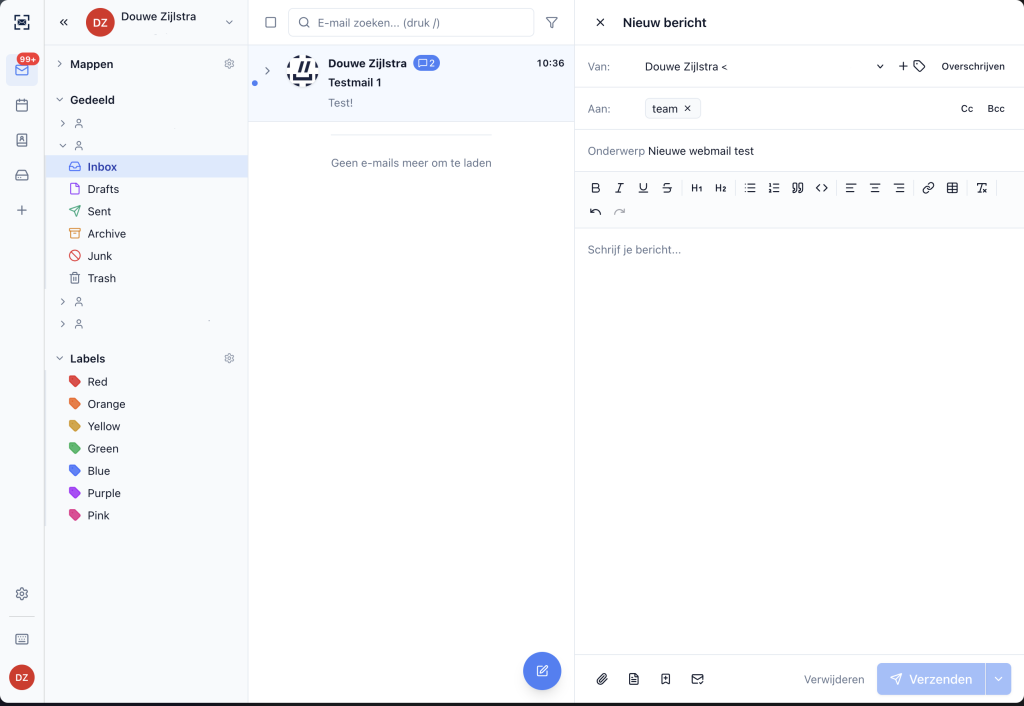
Along with the update, we’re launching a new webmail interface. In this interface, you can, of course, read and send emails, but you can also manage your mailbox settings—such as filters, rules, and your password. The existing Roundcube webmail interface is accessible via roundcube.yourwebhoster.com, but will be removed eventually.
Improved security
One of the major improvements in this version is account-level security. When you set a new password, its strength is checked immediately. App passwords can now be assigned limited permissions and an expiration date—which is handy if you use a separate password for your email client. And for accounts that require it, you can restrict login attempts to specific IP addresses. Finally, thanks to the new webmail, it’s much easier to set up 2FA.
Automatic Client Configuration
Setting up your email client just got easier. Mailspace now supports the latest standards for automatic configuration—both the open AutoConfig format and Microsoft Autodiscover v2. This makes it easier for many clients to automatically retrieve the server settings as soon as you enter your email address.
DKIM and Automatic Key Rotation
DKIM keys are now managed centrally and can be rotated automatically. This is the cryptographic signature that receiving mail servers use to verify that your outgoing email actually comes from you—it helps prevent messages from ending up in the recipient’s spam folder.
During the migration, new keys will be created for some domains. If you manage your DNS yourself, you’ll receive a separate email from us with detailed instructions. If Superspace manages your DNS, we’ll take care of it for you.
Faster and Better Searches
We’re rolling out the new cluster with a completely revamped search index. This will make searching your inbox—even if it’s large—much faster and more accurate. Searches that used to be slow or didn’t return the right results will work much better soon.
Are you experiencing any issues after the update, or do you have any questions right now? Feel free to contact us at support@superspace.nl, via the chat feature on our website or by phone at 088 000 66 66.

